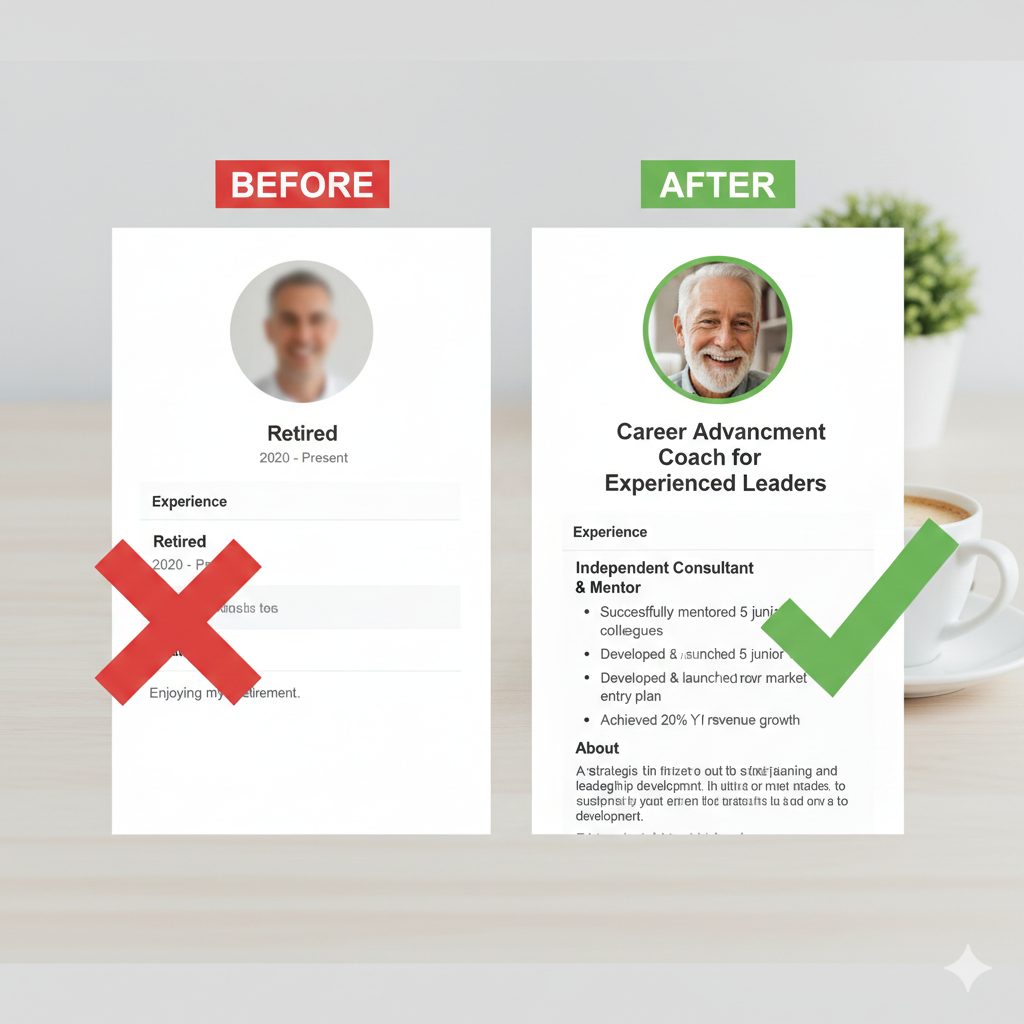

Your LinkedIn profile still says “Retired” or lists your old job title from 2 years ago. Meanwhile, decision-makers are searching LinkedIn for exactly what you offer—and they’re not finding you. Here’s the 60-minute fix.
The Opportunity You’re Missing Right Now
Right now, while you’re reading this, someone is on LinkedIn searching for exactly what you offer.
Maybe they’re typing: “operations consultant manufacturing”
Or: “CFO advisor growing companies”
Or: “HR consultant merger integration”
They have budget. They have a problem. They’re ready to hire.
And they’re not finding you.
Why? Because your profile still says “Retired Operations Director at [Old Company]” with a headline that reads “Enjoying retirement and spending time with family.”
I’m not judging. Mine looked exactly the same three months after I retired.
But here’s what I learned: LinkedIn is the #1 way consultants get found by clients. Not cold calling. Not ads. Not networking events.
LinkedIn search.
And if your profile isn’t optimized for how buyers search, you’re invisible.
Good news: This takes 60 minutes to fix. And the ROI is massive.
Let me show you how.
Why Your Current Profile Isn’t Working
Let me guess what your profile looks like right now:
Headline: “Retired VP of Operations at XYZ Corporation”
About Section: Empty. Or a two-sentence bio that says “Experienced professional with 30+ years in operations management.”
Experience: Your last job listed with “Retired” as the end date.
Activity: You haven’t posted in 6 months. Maybe longer.
Here’s the problem:
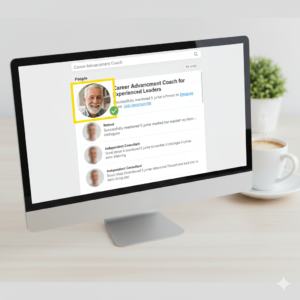
When a hiring manager searches for “operations consultant,” LinkedIn’s algorithm looks at:
- Your headline
- Your about section
- Keywords in your experience
If those sections say “retired” or reference your old job, you don’t show up.
You’re optimized for your past. Not your future.
The 60-Minute LinkedIn Makeover
Here’s exactly what to change, in order of impact:
SECTION 1: Your Headline (15 minutes)
This is the most important thing on your profile.
Your headline appears in search results, connection requests, comments, posts—everywhere.
Current headline (doesn’t work): “Retired Operations Director at ABC Manufacturing”
Why it fails:
- “Retired” signals you’re not available
- Company name doesn’t help search
- Doesn’t say what you do NOW
New headline (works): “Operations Consultant | I Help Manufacturing Companies Scale 20→100 Employees Without Operational Chaos”
Why it works:
- “Operations Consultant” = searchable keyword
- Shows who you help (manufacturing companies)
- Shows specific outcome (scale without chaos)
- Demonstrates expertise immediately
The Formula:
[YOUR CONSULTING ROLE] | I Help [TARGET CLIENT] [ACHIEVE OUTCOME] Without [COMMON PROBLEM]
More Examples:
“CFO Advisor | I Help Tech Startups Build Financial Systems That Support Growth Without Slowing Momentum”
“HR Consultant | I Help Companies Retain Key Talent During Mergers Without Culture Destruction”
“Sales Process Consultant | I Help B2B Companies Close More Deals Without Extending Sales Cycles”
How to update it:
- Click your profile picture → View Profile
- Click the pencil icon next to your name
- Click into the headline field
- Delete old headline
- Paste your new headline (220 character limit)
- Click Save
Done. 15 minutes.
SECTION 2: Your About Section (20 minutes)
This is your opportunity to tell your story and load it with keywords.
Right now, it’s probably empty or one paragraph that says nothing.
Here’s the structure that works:
Paragraph 1: The Hook (What you do now)
Example: I help mid-sized manufacturing companies navigate the chaos that comes with scaling from 20 to 100+ employees.
Most companies hit a wall around 50-75 employees. Communication breaks down. Departments stop talking. Projects fall through cracks. I’ve been there—and I help companies get past it without losing quality or culture.
Paragraph 2: The Credibility (Why you’re qualified)
Example: I spent 34 years in operations management, scaling three companies through this exact growth phase. I’ve implemented ERP systems (one disaster, two successes—which makes me the perfect teacher). I’ve managed mergers, restructures, and hypergrowth.
I’ve made the expensive mistakes so my clients don’t have to.
Paragraph 3: The Offer (How you help)
Example: I work with manufacturing companies on:
- Scaling operations without breaking systems
- ERP implementation that doesn’t destroy productivity
- Cross-department communication and alignment
- Building operational infrastructure for growth
Engagements are typically 3-6 months. Project-based or retainer. Remote or on-site.
Paragraph 4: The Call-to-Action
Example: If your company is scaling and hitting operational roadblocks, let’s talk.
Send me a message or email: yourname@email.com
Why this works:
- Opens with the problem (they recognize it)
- Establishes credibility (you’ve done this)
- Shows specific services (clear offer)
- Keywords throughout (searchable)
- Clear next step (easy to contact)
How to update it:
- Click “About” section → Click pencil icon
- Copy/paste your draft
- Click Save
20 minutes.
SECTION 3: Your Featured Section (10 minutes)
Most people leave this empty. That’s a mistake.
This section appears right below your About section. It’s prime real estate.
What to feature:
Option 1: Link to a case study or article you wrote
Option 2: Link to your website (if you have one)
Option 3: Upload a PDF: “5 Mistakes Companies Make When Scaling (And How to Avoid Them)”
Option 4: LinkedIn post that performed well (testimonial, client win, insight)
Why it works:
- Social proof
- Demonstrates expertise
- Gives visitors something to click
- More keywords for search
How to add it:
- Scroll to Featured section (below About)
- Click “+” icon
- Select “Add link” or “Add media”
- Upload or paste URL
- Add title and description
- Click Save
10 minutes.
SECTION 4: Your Experience Section (10 minutes)
Here’s where most people get stuck.
You’re not employed anymore. What do you list?
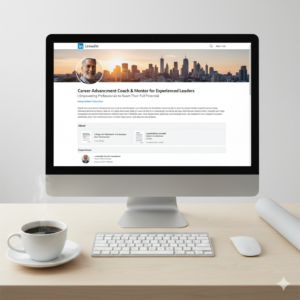
Answer: List your consulting business.
Create a new position:
Job Title: Operations Consultant (or whatever your role is)
Company: Self-Employed or [Your Consulting Business Name]
Start Date: Month you started consulting
End Date: Leave blank (Present)
Description:
I help mid-sized manufacturing companies scale operations without chaos.
Recent engagements:
- ERP implementation for 75-person manufacturing company ($1.2M project, completed under budget)
- Operational restructure for growing tech company (reduced bottlenecks by 40%)
- Cross-department alignment for company in hyper-growth (prevented turnover during scale)
Services include: [list your main offerings]
Why this works:
- Shows you’re active (not retired)
- Demonstrates current work
- Includes results (proof)
- More keywords for search
Keep your old job listed too—just below this one. That’s your credibility. But make consulting your current role.
5 minutes to add. 5 minutes to write.
SECTION 5: Skills & Endorsements (5 minutes)
LinkedIn lets you list up to 50 skills. The top 3 appear on your profile.
Make sure your top 3 are what clients search for:
Examples:
- Operations Consulting
- Process Improvement
- Change Management
- ERP Implementation
- Organizational Development
How to reorder:
- Scroll to Skills section
- Click pencil icon
- Drag your most relevant skills to top 3 positions
- Click Save
Add skills if you don’t have them:
- Click “Add skill”
- Type skill name
- Click “Add”
Ask for endorsements:
- Message 5-10 former colleagues
- “Hey [Name], I’m building my consulting practice. Would you mind endorsing me for [Skill]? Happy to return the favor.”
5 minutes.
What Happens After You Update
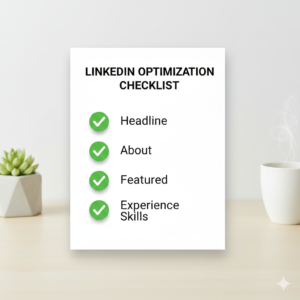
Once your profile is optimized, here’s what changes:
✅ You appear in searches when clients look for consultants in your niche
✅ Your profile looks professional (not retired/inactive)
✅ People understand what you do in 10 seconds
✅ You get inbound messages from potential clients
✅ Former colleagues can refer you (“Here’s her LinkedIn—you should connect”)
Real example:
I updated my profile on a Tuesday. By Friday, I had two inbound messages from companies looking for exactly what I offer. One became a $15,000 project.
All from 60 minutes of work.
The Ongoing Maintenance (5 Minutes Per Week)
Once your profile is optimized, maintain it:
Weekly (5 minutes):
- Post once (insight, client win, industry observation)
- Comment on 3-5 posts in your feed
- Accept relevant connection requests
- Respond to messages
Monthly (15 minutes):
- Update Featured section with new content
- Add new skills if you’ve expanded
- Request endorsements from recent clients
That’s it.
LinkedIn isn’t about posting daily or building a huge following. It’s about being findable when someone searches for what you do.
Your 60-Minute Assignment
Set a timer. Do this right now:
Minutes 0-15: Update your headline
Minutes 15-35: Rewrite your About section
Minutes 35-45: Add something to Featured section
Minutes 45-55: Create your consulting position in Experience
Minutes 55-60: Reorder your Skills to top 3 most relevant
Done.
Your profile is now optimized. You’re findable. You look professional.
Tomorrow, we’re going to talk about how to reconnect with old colleagues without it feeling awkward or salesy.
Talk Tomorrow
Hit reply and send me your LinkedIn URL. I want to see your updated profile. I’ll give you honest feedback on what’s working and what could be sharper.
And if you know a retired professional whose LinkedIn profile still says “Retired at [Company],” forward this to them. Help them get found.
— Bob
P.S. The Featured section is underutilized. Upload a simple one-page PDF: “3 Mistakes Companies Make in [Your Area].” Instant credibility. Takes 20 minutes to create in Canva. Do it.